01
Describe a part, get a model
From brackets, enclosures, panels and labels to simple assemblies, describe size and use, then get an editable 3D result instead of an uncontrolled static mesh.
Generate editable 3D-printable models from a sentence, tune dimensions in the browser, preview geometry, import existing files, and export STL / STEP / 3MF / glTF.
Meshwish workspace
prompt
Check
Passed
Volume
128 cm3
Version
v04
model
router-wall-mount
Preflight
passedPassed preflight: walls, overhangs, and bed contact all clear.
Parameters
220 x 220mm bed fit
Printing scenarios in scope
Enter a prompt, get a model; drag parameters, refresh the preview; pass checks, then download the right file for the next step.
Router mount project
01
From brackets, enclosures, panels and labels to simple assemblies, describe size and use, then get an editable 3D result instead of an uncontrolled static mesh.
02
Width, wall thickness, hole spacing, slot count, text, color and print-bed size become controls. Drag them and the model, checks and version trail update together.
03
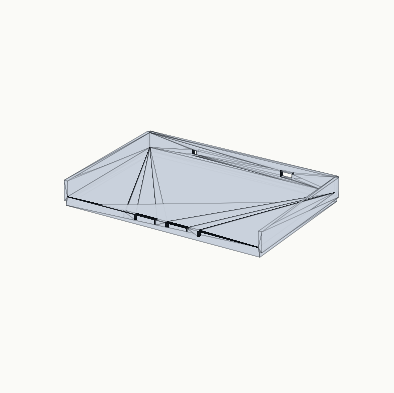
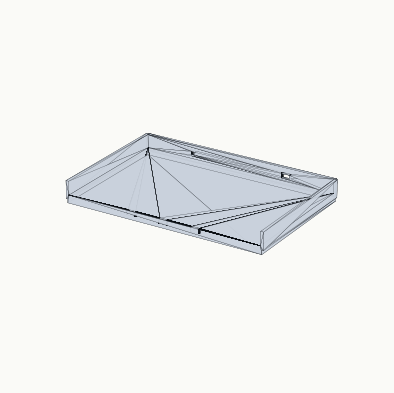
Fillets, chamfers, shells, patterns, holes and imported parts appear in one scene, so users see an object close to the exported result.
04
SVG becomes raised or engraved detail, STL / OBJ / 3MF can be inserted into a design, and STEP can stay as an exact part for further edits.
05
Before exporting, check bounding box, volume, wall thickness, watertightness and steep overhangs against the print bed. Problems surface in the workspace, not after slicing.
06
Download STL, STEP, 3MF or glTF from the same project. Printing, CAD exchange, web preview and archiving can each get the right output.
Meshwish keeps chat generation, parameter tuning, 3D preview, import, validation and export in one workspace.
Enter the part purpose, dimensions, mounting style and constraints.
Inspect the print bed, isometric view and model status in the browser.
Adjust width, wall thickness, slot count, hole pitch, text or color.
Insert SVG, STL, OBJ, 3MF or STEP into the current project.
Review size, volume, wall thickness, watertightness and overhang/support hints.
Export STL, STEP, 3MF or glTF for the next tool.
The page now mirrors current capabilities: common functional parts, text and graphic detail, import-based edits and simple assemblies.
Tap a card, drag the params, watch geometry move.
In private workspace
⊞
Multi-part assembly: connectors, mate / distance / parallel constraints and joint editing for simple kits.
Chat generation, parameter controls, geometry preview, asset import, multi-part assembly, version trail, validation status and STL / STEP / 3MF / glTF export are wired together.
Make SVG, STL, OBJ, 3MF and STEP import feel smooth, then show raised text, holes, bevels, shells and patterns as common edits.
Strengthen wall, bounding-box, bed-fit, volume and export-package checks so users know if a file is printable before download.
Expand high-quality templates, project sharing, version review, team libraries and more printer profiles.
Outcomes: prompt-to-model, live parameter controls, geometry preview, file import, multi-part assembly with constraints, validation and multi-format export.
No. Templates make frequent print jobs faster, but users can also start from language or import SVG, STL, OBJ, 3MF and STEP files for further edits.
The workspace is oriented around STL, STEP, 3MF and glTF, covering printing, CAD exchange, online preview and version archives.
Users do not just receive an invisible output. Meshwish shows preview, parameters, validation status and version history, so thin walls, non-watertight bodies and steep overhangs surface before export.
Users can focus on purpose, dimensions and print constraints. Meshwish keeps model output, parameters, preview, checks and export in one flow.
Waitlist users get priority access to the workspace, and their real print jobs will help shape templates and checks.